9. Electronics Production
Group assignment
• characterize the design rules for your in-house PCB production process • submit a PCB design to a board house
Research
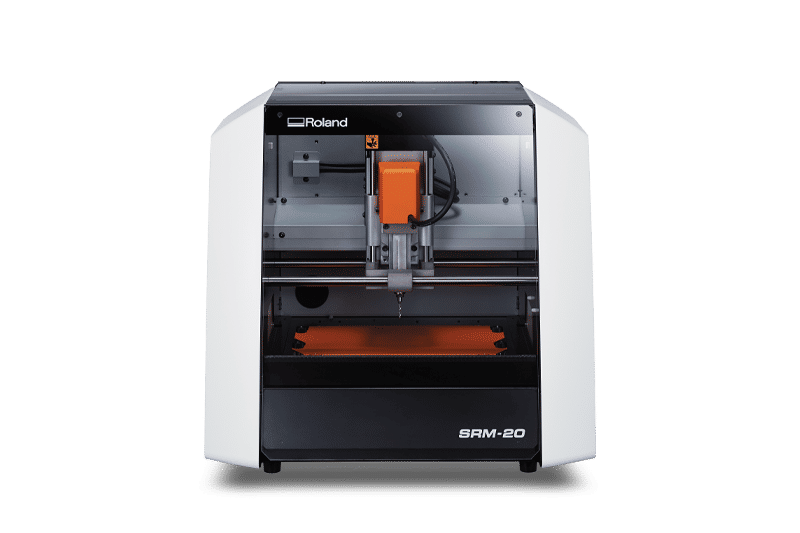
Product Specifications: MODELA SRM-20
| Item | Details |
|---|---|
| Model | MODELA SRM-20 |
| Manufacturer | Roland DG Corporation |
| Workable Materials | Resin (Modeling wax, Chemical wood, Foam, Acrylic, ABS, Polycarbonate, etc.), PC board |
| X, Y, and Z Strokes | 203.2 (X) x 152.4 (Y) x 60.5 (Z) mm (8.0 x 6.0 x 2.38 in.) |
| Table Size | 232.2 (X) x 156.6 (Y) mm (9.14 x 6.17 in.) |
| Use Material Weight | 2kg |
| Spindle Speed | 3,000 – 7,000 rpm |
| Collet Size | ZC-20-30(3 mm) , ZC-20-32(3.175 mm-1/8in.) , ZC-20-40(4 mm) ZC-23-635(6.35mm-1/4in.) and ZC-20-60(6 mm) (optional collets available) |
| Software Resolution | 0.01mm/step(RML-1)、 0.001mm/step (NC Code) (0.000039 in./step) |
| Herdware Resolution | 0.000998594mm/step |
| Interface | USB |
| External Dimensions | 451.0 (W) x 426.6 (D) x 426.2 (H) mm (17.76 x 16.80 x 16.78 in.) |
| Weight | 19.6 kg (43.2 lbs.) |
| Power consumption | About 55W |
| Operating System | Windows® 7/8/8.1/10/11 (32/64-bit) |
Endmills

1/64”(0.3969mm) size bit SE 2FL
1/32”(0.7938mm) size bit SE 2FL
PCB
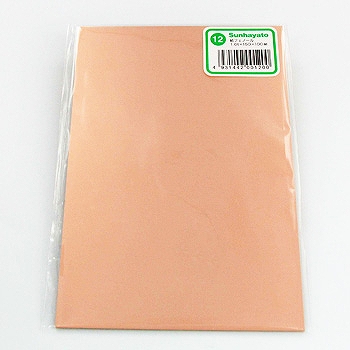 Copper-clad laminated substrate by Marutsuelec Co.,Ltd.
| Specification | Details |
|---|---|
| Material | Single-sided paper phenol (FR-1) |
| Dimensions | 100mm x 150mm |
| Board thickness | 1.6mm |
| Copper foil thickness | 0.035mm (35μm) |
Make the PCB by SRM20
we used Neil’s test data


Create the toolpaths by MODS
Open Mods CE
Inport the png File

Select Mill
set Origin XYZ=0

select ON the out of .rml and web 3d view
push calculate export .rml and open 3d view tab


Set SRM-20

Vpanel

setmill

xy0

z0

Test Cuts
Hanamido’s try
 test1
test1
Katoh’s try test2,3 not engarved finish…
 test4
test4
PCB to Boardhouse
JLCPCB PCBWAY FusionPCB P-ban.com Unicraft
Creating Gerber files used to be a difficult process, but now, with the JLCPCB plugin installed, ordering is incredibly easy.

First, search for the plugin. Typing “JLC” will bring up the Fabrication Toolkit plugin. Install this.
 Prepare your data after the DRC check is complete, select Fabrication Toolkit in the PCB editor, leave the selection as is, and press Generate.

The output file is stored in a folder named “production” within the project name folder in KiCad_data.

The .zip file inside this folder contains the Gerber data. Selecting this file on the JLCPCB website using “Add GerBer File” will start the quotation process.


This time, I used all the default settings on the site for the quotation.

For the minimum order of 5 boards, the quoted price was $4,
but with a discount, it came down to $2.
There was an additional charge for extending the production time from 2 days to 24 hours. And the shipping cost was $24.25. kikad has plugin JLCPCB it is expoted gerber .zip