14. Interface and application programming
Youssef’s tool comparison
For my part of the group assignment, I compared two browser-based directions from my week.
The first one was normal web development for hardware interfaces. I used HTML, CSS, JavaScript, Web Serial, HTTP requests, JSON, and a local server so the browser could show controls, status, and device data instead of only running code from a terminal. I wrote more about that in my Building the Interface Itself section.
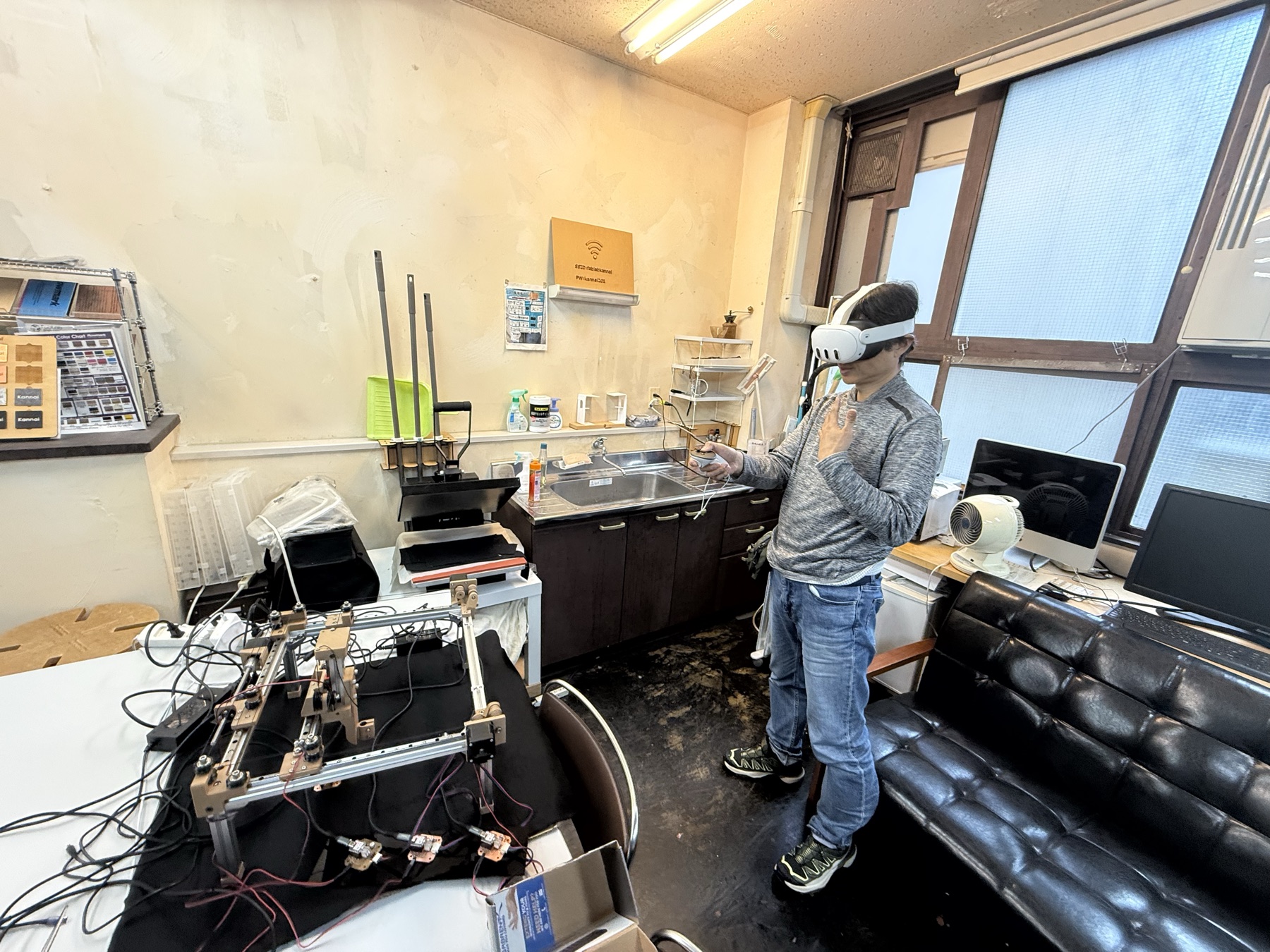
The second one was WebXR with Three.js. I used the Quest Browser as the interface, then mapped controller movement onto a drawing plane for the KanjiXYZ machine from Week 12. The browser sent coordinates to a Flask backend, and the backend passed them to the machine control code.
The XR version was very cool because I could move the machine in real time through AR. Instead of only clicking jog buttons on the laptop, I could use the Quest controller as the input, and the browser sent the updated targets back to the machine through the same Flask backend.
I wrote that workflow in more detail in XR Interfaces for the Kanji Drawing Machine.
Kieran’s Tool Comparison
To help me begin development on my final project, I developed two workflows in MicroPython targeting the physical ESP32-S3 hardware platform versus an off-board desktop desktop emulation stack.
The first direction focused on standard Python 3.14 paired with the Pygame-CE rendering framework. I built a simple UI component engine entirely from scratch (you can tell haha). This layer handled dynamic user controls, contextual descriptions, a custom linear data carousel.

I wasn’t thrilled about the draw.font() function available so I created a matrix-scaling file that prints chunky, high-visibility numbers using raw pixel line calculations without needing external vector fonts.

The next piece was to try to get this running on actual hardware. Which I talk about at length on my personal page!
Fumiko’s tool comparison
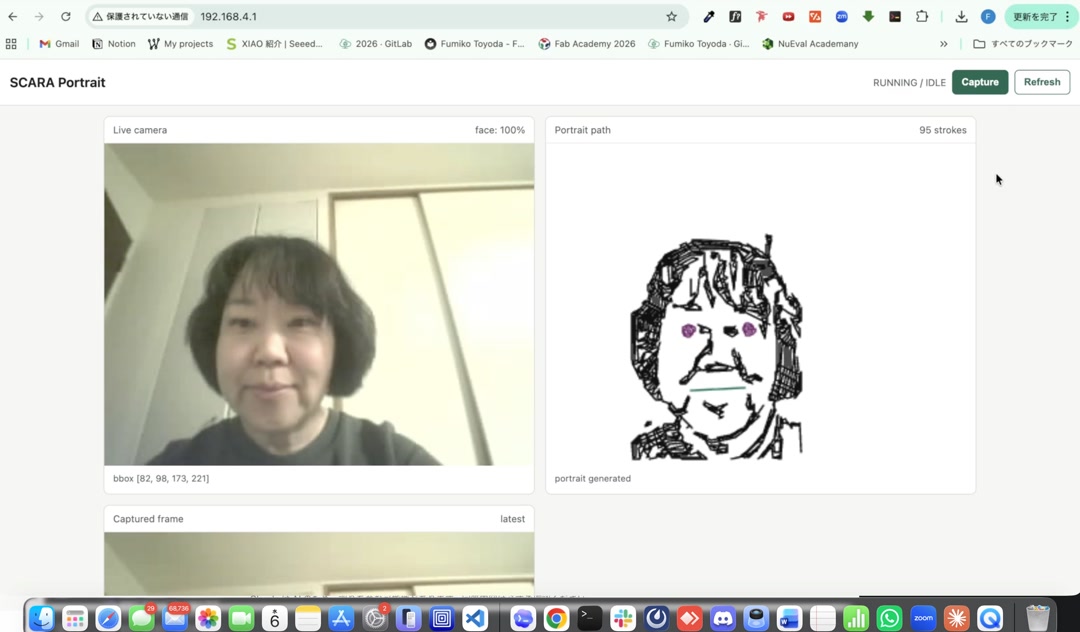
For my part of the group assignment, I focused on a small embedded web application. The interface runs in the browser, and the camera, face-detection, portrait-generation, and web-server work all happen directly on the XIAO ESP32S3 Sense.
My project was a XIAO ESP32S3 Sense portrait generator. The XIAO captures an image with the OV3660 camera, runs face detection with Espressif’s esp-dl library, converts the detected face into portrait strokes, and serves the dashboard webpage from its own web server.
The browser was only the user interface. The computer did not process the image or run the main application logic. The ESP32S3 acted as the camera controller, face-detection processor, portrait generator, and web server.
Compared with a desktop-hosted or cloud-hosted application, this embedded-web approach has less memory and processing power, so the application needs to stay simple and efficient. The advantage is that the system runs at the edge. I connect to the same Wi-Fi network, open the XIAO’s IP address in a browser, and use the dashboard to capture a new portrait.
The dashboard showed the live camera image, the detected face box, the captured frame, and the generated portrait path. This helped me check the image-processing workflow before connecting it to the SCARA drawing arm.